
Runtime settings
Runtime settings control the computational resources allocated to a simulation and how long it is allowed to run.
Node type & count
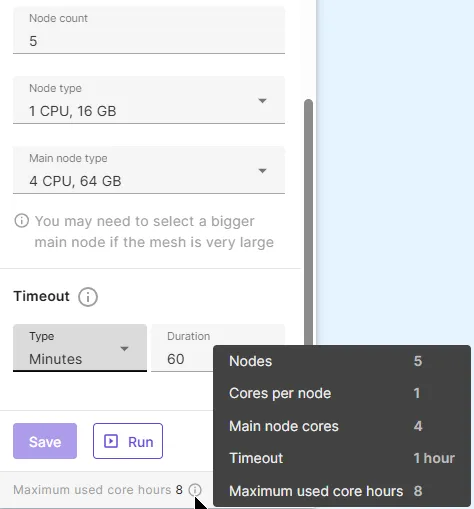
Section titled “Node type & count”Node type and count are selected in simulation runtime settings:
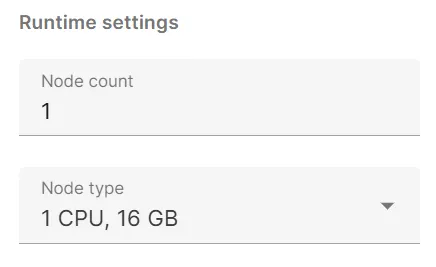
The node types currently available are:
- Fast start (3 CPU, 10 GB)
- For small simulations
- Eliminates startup delay
- Node count limited to 1
- 1 CPU, 16 GB
- Default node type
- 2 CPU, 32 GB
- 4 CPU, 64 GB
- 8 CPU, 128 GB
- 16 CPU, 256 GB
- 32 CPU, 512 GB
Node count is an integer, limited by the parallel cores in your plan. For the smallest plan type, which includes 16 parallel CPUs, a maximum of sixteen 1 CPU, 16 GB nodes or one 16 CPU, 256 GB node can be used simultaneously.
Choosing node type & count
Section titled “Choosing node type & count”Ideally, you should start with the smallest node count and type. Select more or bigger nodes if you need them due to memory limitations.
For multinode simulations, a rule of thumb is to have 50-100k DOFs (degrees of freedom) per 16 GBs of memory. So for 1 million DOFs, 10-20 nodes with 1 CPU, 16 GB would hit the sweet spot.
These are rough estimates — the required memory varies depending on the problem. The direct solver uses more memory than the iterative solver, so for the same problem some more nodes are required by comparison.
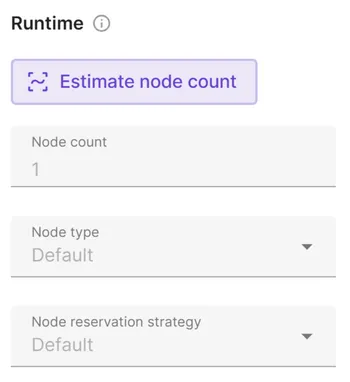
Estimate node count
Section titled “Estimate node count”The number of nodes required to run a simulation depends on several factors:
- mesh quality
- selected physics
- analysis type
- solver settings
To gain an estimate on the number of nodes needed for a simulation, use Estimate node count.
Timeout
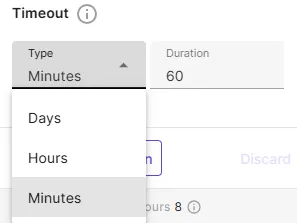
Section titled “Timeout”Timeout determines the maximum time a simulation, sweep or otherwise, is allowed to run. If the simulation is not converged within the timeout period, it will be aborted.
Maximum used core hours
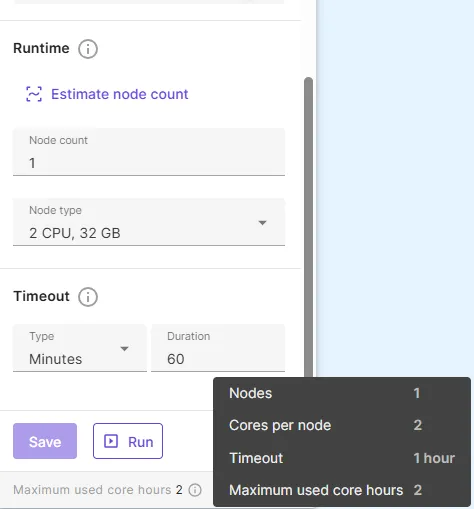
Section titled “Maximum used core hours”The maximum used core hours is calculated as
shows the maximum core hours to be consumed if the simulation continues to run for the whole duration set in the timeout period.
When the Node count is more than one, you can choose a bigger Main node type if the mesh is very large.
Then the maximum used core hours is calculated as
| Node count = 1 | Node count > 1 |
|---|---|
 |
 |