
Inputs & outputs
Simulations can be run without any inputs or outputs, but they provide versatility for working with simulations. Outputs are also necessary for viewing results in the GUI.
Inputs
Section titled “Inputs”Quanscient Allsolve supports 2 types of simulation inputs:
- Variable overrides
- Single-variable overrides
- Simulation sweeps
- Field initializations
- Initialize a simulation from a previously completed simulation
Variable overrides
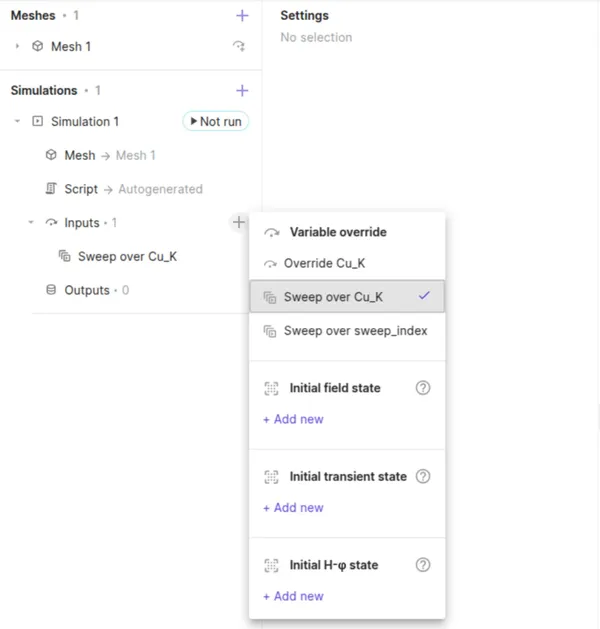
Section titled “Variable overrides”The overrides and sweeps defined through variable overrides in the Common sidebar, are available to be selected in the simulation inputs. Note, that only one variable override can be selected as an input for a given simulation.
Field initializations
Section titled “Field initializations”Field initializations can be used to initialize a simulation with a final field state from another simulation.
Three types of field initializations are available:
- Initial field state: Use the final field state from another simulation to initialize a field in the present simulation.
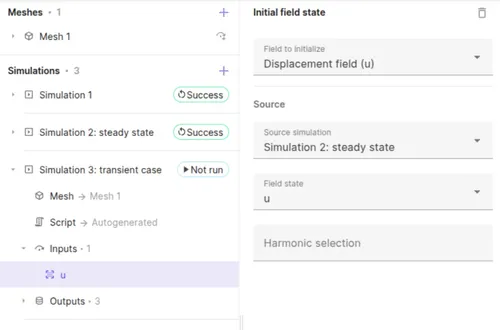
- Initial transient state: Use the transient state from another simulation to continue running it in a new transient simulation.
- Initial H-φ state: Use final field state of a previous static H-φ simulation to initialize a transient H-φ simulation.
Outputs
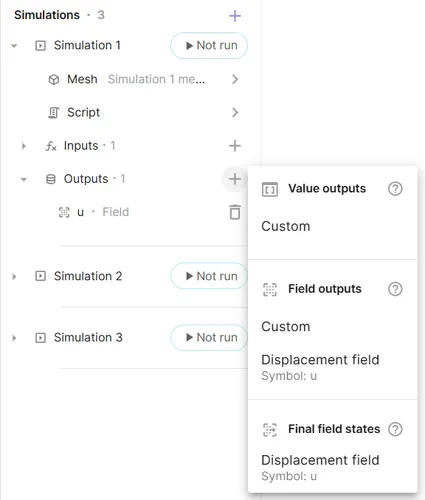
Section titled “Outputs”Quanscient Allsolve supports 3 types of simulation outputs:
- Value outputs
- A numerical value, that can be plotted
- Field outputs
- A field state, that can be visualized on the model view
- Final field states
- Save the field state, and hook it up to a subsequent simulation as a field inizialition
To create a new output for a simulation, select + next to Outputs:
Value outputs
Section titled “Value outputs”Value outputs contain discrete values for each subsimulation and time step. They can be viewed in the Summary, or plotted.
Field outputs
Section titled “Field outputs”Field outputs contain field states whose distribution over the target domain can be visualized.
Skin only
Section titled “Skin only”The Skin only option writes out a field output only on the outer boundary or “skin” of the output field’s target region. Toggle it on to reduce data size.
Output filters
Section titled “Output filters”By default, field outputs are written at every time step. For transient simulations with many steps, this can produce large amounts of data. Use the Filter dropdown to control how often an output is written:
- Output every step — writes the field at every time or frequency step. This is the default.
- Output every Nth step — writes the field at a regular interval. Set the Output interval to the desired stride (e.g.
25writes every 25th step). - Output specific steps — writes the field only at the listed steps.
- Filter by expression — writes the field when a user-defined expression evaluates to a non-zero value, allowing arbitrary output logic.
Final field states
Section titled “Final field states”Final field states are stored at the end of a simulation, and cannot be visualized directly. They can be used to initialize subsequent simulations through field initialization inputs.
Chaining
Section titled “Chaining”Simulation chaining — running one simulation after another with the results of the first feeding into the second — is done by combining final field state outputs with field initialization inputs